Introduction

vmatch is a fully automated version manager for Go and golangci-lint:
- Developer using vmatch never has to manually update their environment to match their project.
- Versions specified in
go.modand.golangci-versionare downloaded and used automatically, on-demand. - This allows projects to 'rust'; a project with
vmatch-supported structure will keep working as it was when last touched. No more "can't install the right version of Go with brew".
FAQ
Q: What about https://go.dev/blog/toolchain?
A: Toolchain is about forward-compatibility, vmatch installs the Go version specified in your project. I have found Go's promises of backward-compatibility to be squishy in practice, brew install go has not been sufficient for some project setups.
Q: What about go run? (Go 1.24 and after go run calls are cached)
A: It is probably the easy thing to introduce to your team and is a fine addition to Go.
Q: What about https://github.com/nix-community/nix-direnv?
A: It is better, if you can get the buy-in for Nix. In fact, this repository uses a flake.nix setup that makes vmatch irrelevant.
Q: How does this compare to https://mise.jdx.dev/dev-tools/shims.html#shims?
A: It is pretty much exactly like mise shims.
Q: Go binaries downloaded by vmatch don't work on NixOS
A: Some versions of Go binaries supplied by Google are dynamically linked (on Linux you can check with ldd) and therefore on NixOS you need to setup nix-ld to be able to use vmatch. One advantage over vmatch has over Nix is that it's way easier to have arbitary versions installed. On Nix locking nixpkgs-unstable to a specific sha to get a specific version of Go may also cause cache misses that cause you to compile and download all the necessary dependencies (comparatively very slowly) for that version of Go. For Nix users on other operating systems this should not be an issue
Q: Should I use this?
A: Probably not. Given the other projects mentioned above (Nix and mise) this wouldn't be my go-to solution (pun intended) and one can view it as more of a nontrivial playground for my CI, packaging, and Git hooks setups. You should also be aware that the code here has not been security audited and it does download binaries off of the internet and runs them, so use at your own caution. I've already (at least tried to, "best effort") fixed one security issue caught by GitHub Advanced Security here: * https://github.com/anttiharju/vmatch/pull/319
Why
Collaborators using different versions of golangci-lint may get different output, leading to confusion and wasted time in code reviews. Ideally, a team would agree to use vmatch as their source for go and golangci-lint. That way, they would always have the right version installed.
Installation
brew install anttiharju/tap/vmatch
and afterwards for further instructions run
vmatch doctor
Mainly, you should have ~/.vmatch/bin in your PATH.
Updating
brew update && brew upgrade vmatch
Integrations
VS Code
Go
Open your project via code . or similar from your shell where vmatch doctor reports the installation as healthy to ensure a vmatch-managed version of Go is available.
golangci-lint
Follow guidance at https://golangci-lint.run/welcome/integrations/#visual-studio-code but specify the full path of your ~/.vmatch/bin/golangci-lint as an alternate lint tool, like this:
  "go.alternateTools": {
    "lintTool": "/Users/antti/.vmatch/bin/golangci-lint",
  },
Renovate
I think one can configure Renovate to maintain the .golangci-version file for you, see https://www.jvt.me/posts/2022/12/15/renovate-golangci-lint/ for an example.
How
vmatch traverses the filesystem upwards until it finds the file .golangci-version and go.mod. These files should be in the same directory, but it is not enforced.
Go versions are downloaded from Google servers and stored under ~/.vmatch, like this:
.vmatch
├── bin
│   ├── go
│   ├── golangci-lint
│   └── gopls -> /Users/antti/go/bin/gopls
├── go
│   ├── v1.21.0
│   ├── v1.23.0
│   ├── v1.23.5
│   ├── v1.24.2
│   └── v1.24.3
└── golangci-lint
    ├── v1.63.4
    └── v2.1.6

11 directories, 3 files
Contents of ~/.vmatch/bin are symlinked from $(go env GOPATH)/bin, expect for go or golangci-lint which are shims, i.e. shell scripts that wrap vmatch.
Usage
After you have completed the installation, you can simply use go and golangci-lint as usual, as long as there's a .golangci-version or go.mod file available in current directory or above.
Note that when a version is downloaded for the first time, your commands may appear to hang. The time it takes depends on your internet speed and computer.
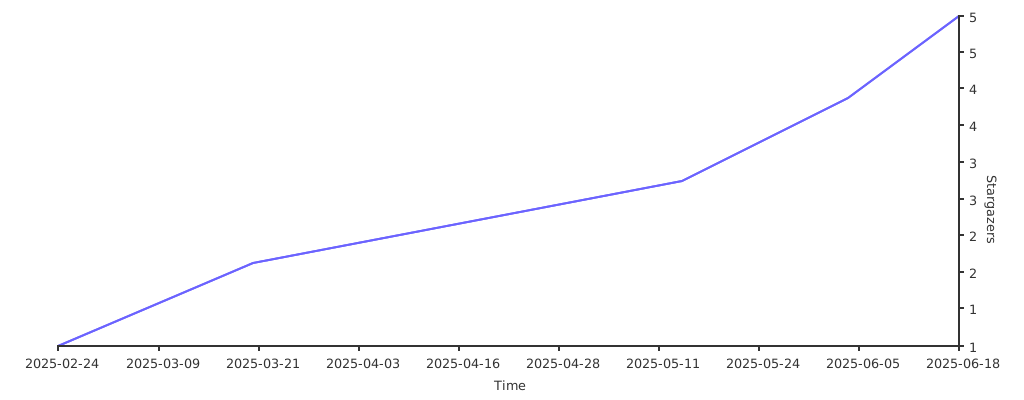
Stargazers over time